
Lossy vs Lossless Compression: The Difference That Actually Matters
Lossy and lossless compression solve different problems. Lossy trades a small amount of visual information for a large reduction in file size; lossless keeps every bit of data but saves much less space. Picking the wrong one is expensive either in bytes, in quality, or in both.
What Lossy Compression Actually Does
Lossy compression throws data away, which sounds bad, but it doesn't have to be. A well-designed lossy encoder doesn't randomly delete pixels. Instead, it uses mathematical models of human perception to find information you're least likely to notice is missing. It then ditches that data and packs the rest more tightly.
Think of it like summarizing a novel. You lose the exact wording, but a good summary keeps everything that matters. A bad summary leaves out the plot, while a good one only leaves out the adjectives no one remembers anyway.
The result is a dramatic reduction in file size. You often see files get 80% to 90% smaller, where a 5 MB photo becomes 500 KB. The catch is that you can't get the original back. Discarded data is gone for good, so once you compress and save, you've committed to that version.
What Lossless Compression Actually Does
Lossless compression is the polite one. It makes files smaller without discarding a single bit of information, so when you decompress it, you get back exactly what you started with. The result is bit-for-bit identical.
Lossless compression works the same way a ZIP file does. It finds patterns and redundancies in the data to represent them more efficiently. If a row of pixels is the same shade of blue 200 times in a row, a lossless encoder doesn't store that blue value 200 times. It stores a note like blue x200 and moves on.
The tradeoff is straightforward because you get perfect fidelity but modest savings. Typical lossless compression on images yields about 20% to 50% reduction, or sometimes less depending on the image. A noisy photograph with many unique color values gives lossless compressors very little to work with. However, a screenshot with flat colors and repeated UI elements compresses beautifully.
PNG, WebP in lossless mode, and FLAC for audio all work this way. Nothing is lost and the file size is smaller, which works well as long as you can live with the file still being fairly large.
 Lossless
 Lossy
Lossy
The Psychovisual Trick That Makes JPEG Work
JPEG doesn't just blindly remove data. It exploits specific quirks of human vision in a clever way. Your eyes have two types of receptor cells: rods, which detect brightness, and cones, which detect color. You have far more rods than cones, and your brain processes brightness at a much higher resolution than color. In plain terms, you're really good at seeing brightness differences and pretty bad at seeing color differences.
JPEG knows this. During compression, it separates the image into brightness and color channels, then aggressively reduces the color information while preserving the brightness detail. This is called chroma subsampling, and it's the reason a JPEG can throw away a huge portion of its color data and still look fine to your eyes.
On top of that, JPEG applies a mathematical transformation called the Discrete Cosine Transform, which converts image data into frequency components. High-frequency details like small textures and noise get reduced more because your eyes aren't as good at seeing those either, especially in colorful areas. The whole process is tuned to discard what the human visual system won't miss — and it turns out that's quite a lot.
The 85% Quality Sweet Spot
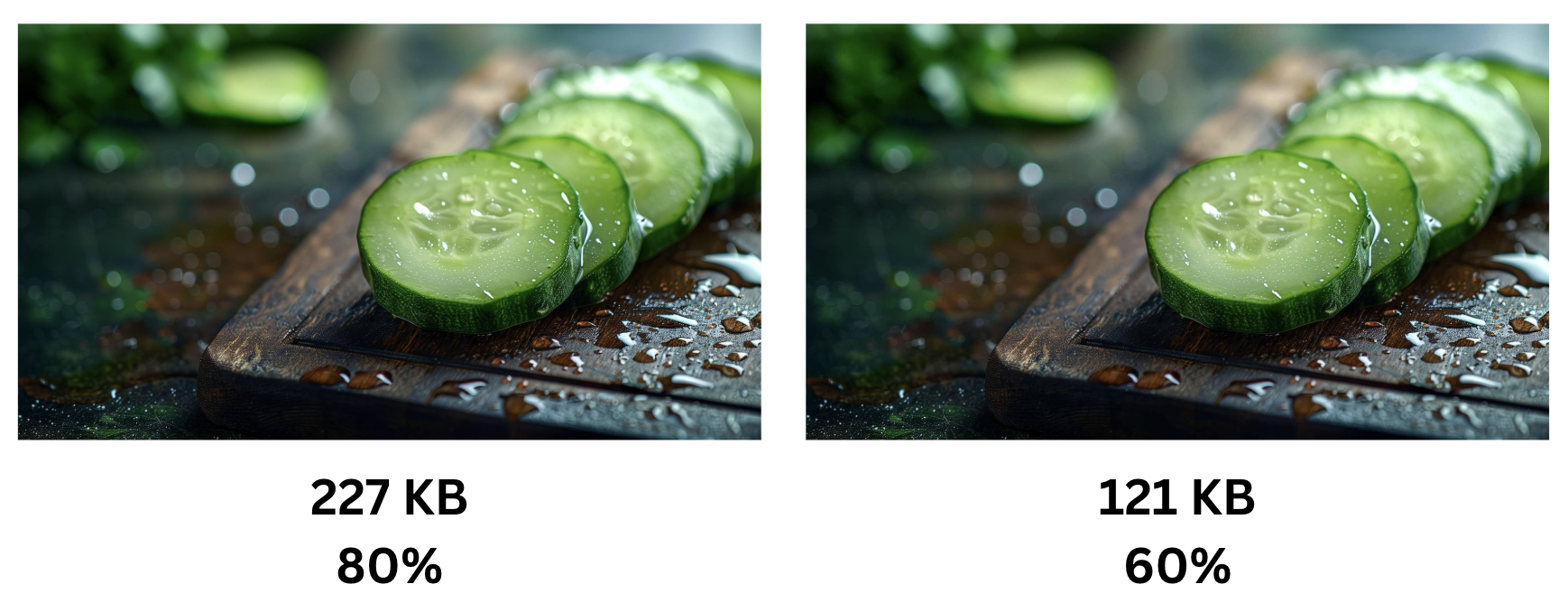
For most photographic content, a JPEG saved at quality 80-85 is visually indistinguishable from the original to human eyes. Not "almost the same" - indistinguishable, in the sense that placing both side by side on a normal monitor at normal viewing distance, most people cannot reliably tell which is which.
This is not an exaggeration. Controlled studies have confirmed this over and over. The human visual system simply can't detect the differences that get removed at quality 85. You'd need to zoom in to 400%, squint at a specific 20-pixel region, and even then you might be guessing.
Meanwhile, the file size difference between quality 100 and quality 85 is enormous. We're often talking about a 60-75% reduction. That's not a rounding error. That's the difference between a page loading instantly and a user bouncing because they got bored.
Drop below 70 and you'll start noticing. Blocky artifacts creep in around sharp edges. Skin tones get muddy. Text becomes fuzzy. But that generous range between 80 and 90 is where you get the best return - big savings, no visible cost.
When Lossy Is Absolutely Fine
Most images on the internet should use lossy compression because web photos, social media uploads, and thumbnails all share the same reality. Nobody visiting your site is pixel-peeping your hero image while they're scanning and scrolling. A well-compressed JPEG or lossy WebP at 80% to 85% quality looks great and loads fast.
Social media platforms like Instagram or Facebook recompress your uploads anyway, so uploading an uncompressed TIFF gains you nothing. Thumbnails are small and often appear by the dozen on a single page, making aggressive lossy compression the only responsible choice. Even if you're emailing a photo to your aunt, she's likely viewing it on a phone screen and doesn't need a 24-megapixel original.
In all these cases, the savings are real and the quality loss is mostly theoretical. A 90% reduction in file size for zero perceptible quality loss isn't a compromise, but common sense. This approach ensures your content remains accessible and fast without sacrificing the visual experience for your audience.
When Lossless Actually Matters
While lossy compression is the standard for most web content, certain professional and technical scenarios require a different approach. There are cases where discarding even a small amount of data is the wrong choice:
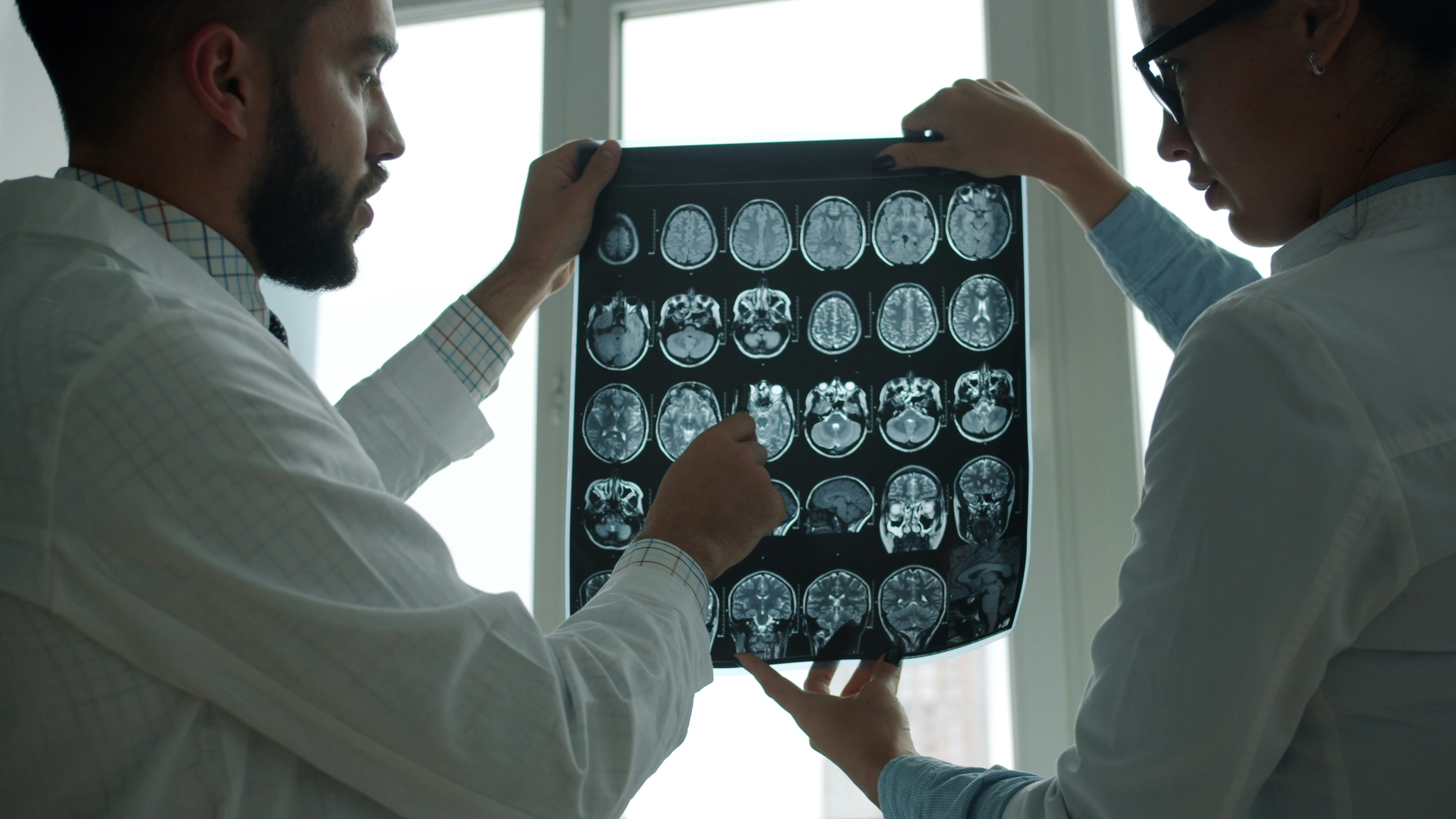
- Medical imaging: If a radiologist is examining a scan for a tumor, you don't get to decide which details are probably imperceptible. Every bit matters, and lossy compression of diagnostic medical images is restricted by regulatory guidelines like FDA and ACR standards.
- Archival and preservation: If you're storing master copies of photographs, artwork, or historical documents, you want lossless. You might not see the difference today, but you don't know what tomorrow's tools or use cases will need, and lossy compression is a one-way door.
- Iterative editing workflows: Every time you open a JPEG, edit it, and save it again, the file recompresses and introduces new artifacts. This is called generational loss, which is why professionals shoot in RAW and edit in formats like TIFF or PSD. The final export can be lossy, but the working files shouldn't be.
- Graphics with sharp edges and text: Screenshots, logos, and UI mockups have hard lines and flat colors that lossy algorithms struggle to handle. JPEG was designed for photographs, so PNG handles these cases far better because it avoids the technical mismatch of asking a photo format to compress a spreadsheet.
Lossy for Delivery, Lossless for Masters
Lossy is the right default for web images - 80 to 85% quality gives large savings with very little visible loss on photographic content. Lossless is the right choice for archival masters, medical imaging, and any iterative editing workflow where the file will be re-saved repeatedly. The two can be combined: keep a lossless master, export lossy derivatives for delivery.